Blog · Guide
How to access TrueNAS remotely (2026)
Your TrueNAS is a lovely, quiet box that serves your files perfectly — right up until you leave the house, at which point it becomes a lovely, quiet box you can't reach. Here are the real ways to get to a TrueNAS SCALE server from anywhere, compared honestly, including the one we'd gently steer you away from.
TL;DR
- Just want the web UI? A tunnel (Cloudflare) or a mesh VPN (WireGuard/Tailscale) both reach it without opening ports. Don't port-forward the TrueNAS login page to the open internet.
- Want your files as a drive? That's an SMB mount carried off your network. The mesh options can do it manually; RocketZero does it automatically — install on TrueNAS, run the app, map a share, done.
- Behind CGNAT / no public IP? Anything outbound works (mesh, tunnel, RocketZero). Port forwarding does not.
1. Port forwarding (the one to avoid)
The old-school move: log into your router, forward port 443 (and maybe 445 for SMB) to your TrueNAS, wire up dynamic DNS so the address doesn't wander, and wrestle a TLS certificate into place. It works, technically. It also hangs your NAS's login page — and your SMB service — out where every bored port-scanner on the internet can poke at it. TrueNAS's own community threads are full of people who did this and regretted it. And if your ISP puts you behind CGNAT (most fibre and mobile connections now do), there's no public IP to forward to, so the whole approach quietly doesn't apply. Skip it.
2. WireGuard / the built-in VPN apps
TrueNAS SCALE (24.10 and later) documents several VPN options you can run on the box — WireGuard, Netbird, Tailscale — and they're genuinely solid. WireGuard in particular is fast, modern, and gives you a proper encrypted tunnel with nothing exposed. The catch is that it's a build-it-yourself project: you generate keys, define peers, hand-edit configs, and keep them in sync across every device. Once it's up you connect, then map \\10.x.y.z\share to reach your files. Great for tinkerers who enjoy the plumbing; a long evening for everyone else.
3. Tailscale (WireGuard, minus the config)
Tailscale takes that same WireGuard core and hides most of the config behind a friendly mesh. Install it on TrueNAS and on your laptop, sign in to a tailnet, and your devices can see each other from anywhere. It's a superb general-purpose private network — and if you want reach to everything, use it. But note the shape of the deal: you're standing up a whole network and a third-party account, and reaching your NAS as a drive is still the last manual step — you find its 100.x address or MagicDNS name and map the SMB share yourself. We wrote a whole honest comparison of RocketZero vs Tailscale if you want the details; it applies to TrueNAS just as much as Synology.
4. Cloudflare Tunnel (for the browser, not the drive)
Cloudflare Tunnel makes an outbound connection from your NAS and publishes a service — typically the web UI — at a public HTTPS address, no open ports required. It's excellent at what it does. What it doesn't do is give you a mounted drive: it's built for HTTP(S), not for carrying an SMB file mount to File Explorer. So it's a fine way to reach the TrueNAS dashboard from a browser, and the wrong tool if you wanted to open a video straight off the NAS like a local file. Our RocketZero vs Cloudflare Tunnel piece digs into that split.
5. RocketZero (mount TrueNAS as a drive)
Here's the honest pitch, and where we come in. Most of the options above hand you a network and leave the file access as homework. RocketZero uses the same WireGuard mesh technology — with a self-hosted control plane, so there's no separate account — but points it at one job: bringing your TrueNAS onto your computer as a drive, automatically. You install a Custom App on TrueNAS SCALE (via YAML), run the Windows or macOS app, sign in with your existing TrueNAS username, pick a share and a drive letter, and it mounts. Open, edit, save from anywhere, exactly like a local disk. It also gives your NAS a tidy <id>.roze.to address that opens the TrueNAS web UI in a browser, HTTPS already set up.
Two honest notes so nobody's surprised: the drive mount is end-to-end encrypted over WireGuard (on a direct path your files never touch our servers), but the browser path at <id>.roze.to is a hosted reverse proxy — TLS terminates at our relay to route it, the same trust model as Cloudflare Tunnel. And it's free to get started. For the click-by-click version, see the TrueNAS + RocketZero walkthrough.
The five ways, side by side
| What you care about | Port forward | WireGuard | Tailscale | Cloudflare Tunnel | RocketZero |
|---|---|---|---|---|---|
| Opens the web UI in a browser | Yes (risky) | Yes | Yes | Yes | Yes |
| Mounts shares as a drive | Manual | Manual | Manual | No | Automatic |
| Works behind CGNAT | No | Yes | Yes | Yes | Yes |
| No open ports on your router | No | Yes | Yes | Yes | Yes |
| Account to sign up for | None | None | Tailnet (Google/GitHub/MS) | Cloudflare | None |
| Things to manage | Router, DDNS, certs | Keys, peers, configs | Tailnet, ACLs, keys | Tunnel, DNS, access rules | Nothing |
| Good for non-technical users | No | No | Sort of | No | Yes |
No single row wins every column — that's the point. WireGuard and Tailscale give you the most reach; port forwarding gives you the most regret; RocketZero gives you the least to think about if what you wanted was your files.
What "mounted as a drive" actually looks like
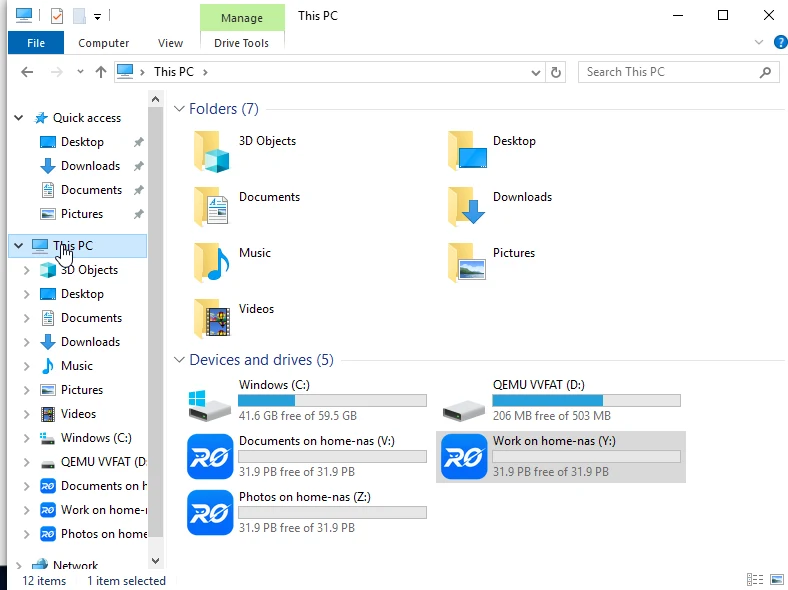
This is the part people mean when they say "access my TrueNAS remotely" — not admiring a dashboard, but opening a folder. Here's the end state: your NAS shares sitting in Windows as ordinary drive letters, reachable over the internet.
And reaching the TrueNAS web UI from a browser is just as direct: open your friendly address and you land on your NAS's own login page, served straight from the box over the tunnel — no port forwarding, no certificate wrangling.
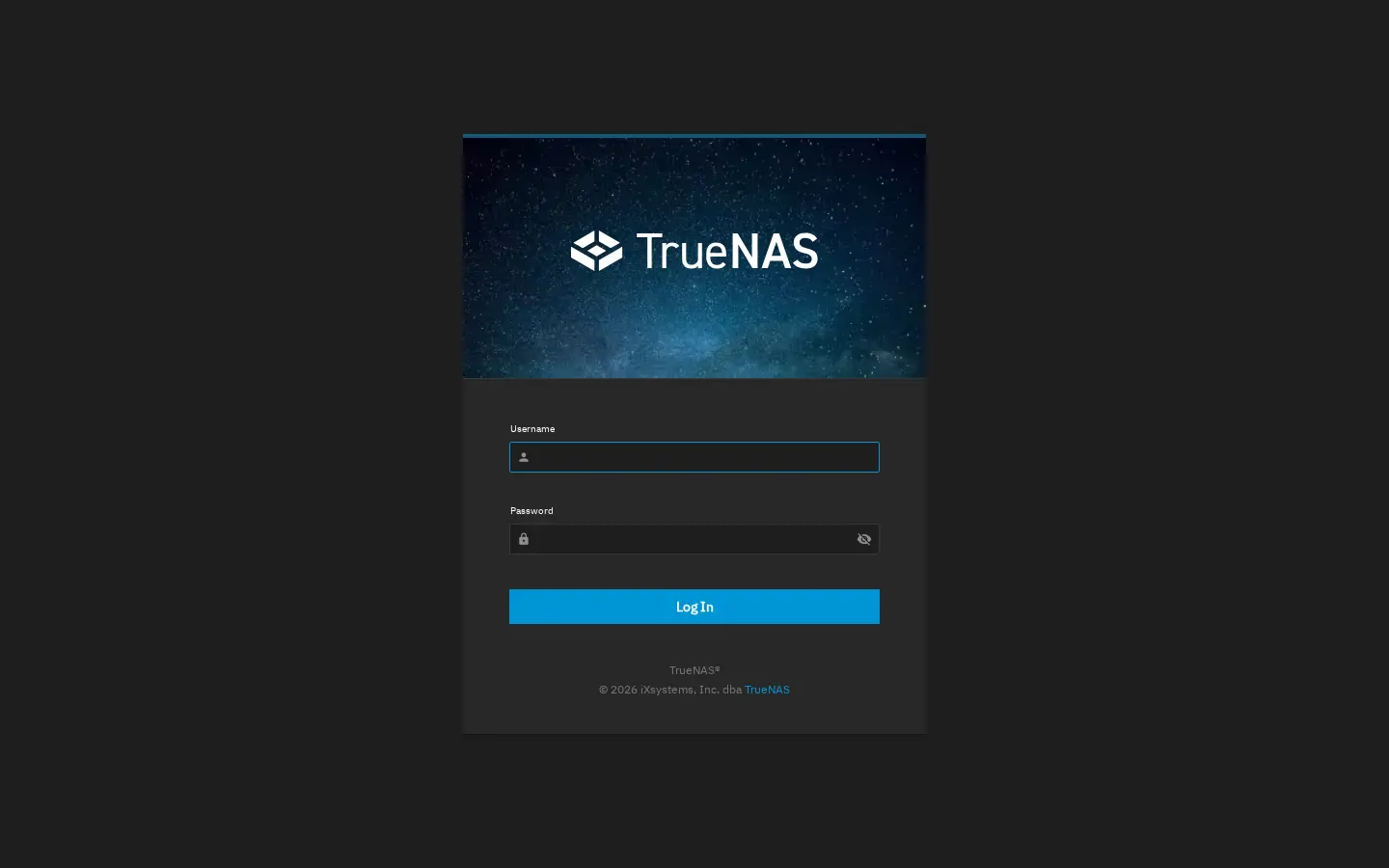
<id>.roze.to address with HTTPS already in place.So which should you pick?
Reach for a mesh (WireGuard/Tailscale) if…
- You want a whole private network, not just the NAS — many devices, many services.
- You enjoy the config, or you specifically need exit nodes and subnet routes.
- You're happy to map the SMB drive yourself once the tunnel is up.
Reach for RocketZero if…
- You want your TrueNAS as a drive — open and save files like they're local.
- You want zero networking setup: no account, no keys, no IPs to map.
- You're behind CGNAT, or setting this up for someone non-technical.
FAQ
Can I access TrueNAS remotely without a VPN?
Yes — but be clear about what you're accessing. If you just want the files, RocketZero mounts your TrueNAS shares as a drive over an encrypted tunnel with no VPN to build and no ports to open. If you want the whole web UI, a reverse-proxy tunnel (Cloudflare Tunnel) works without a VPN too. The only no-VPN option we'd talk you out of is exposing the TrueNAS web UI directly by port forwarding — that puts your login page on the public internet.
Does TrueNAS have built-in remote access?
Not a one-click "QuickConnect" style service, no. TrueNAS SCALE (24.10 and later) documents several VPN apps you can install — WireGuard, Tailscale, Netbird — and there's TrueNAS Connect for managing systems. All of them are real options; they just leave the actual drive-mounting to you. RocketZero exists to do that last mile automatically.
How do I access TrueNAS behind CGNAT?
Port forwarding is off the table behind CGNAT — you don't own a public IP to forward to. You need an outbound connection instead: a WireGuard/Tailscale mesh, a Cloudflare Tunnel, or RocketZero all make the NAS dial out, so your ISP's shared IP stops mattering. RocketZero is built outbound-first for exactly this.
Can I map a TrueNAS dataset as a Windows drive over the internet?
Yes. Your dataset is shared over SMB on the LAN; the trick is carrying that SMB connection off your network safely. Over a WireGuard/Tailscale mesh you map \\100.x.y.z\share by hand. With RocketZero you install it on TrueNAS, run the desktop app, pick a share and a drive letter, and it maps for you — then it opens in File Explorer like a local disk.
Is remote access to TrueNAS secure?
It depends entirely on the method. Port forwarding the web UI is the least secure — you're advertising a login page to the whole internet. The mesh options and RocketZero's drive mount are end-to-end encrypted with WireGuard, so on a direct path your data never touches a middle server. One honest caveat: the browser path at your friendly <id>.roze.to address is a hosted reverse proxy (TLS terminates at the relay to route it, same model as Cloudflare Tunnel) — only the drive mount is end-to-end encrypted.
Want your TrueNAS as a drive, from anywhere?
RocketZero mounts your TrueNAS shares as real drives — no ports, no VPN to build, free to get started.
Download RocketZero Read the setup guide